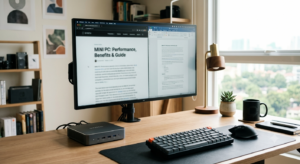
Why Mini Computers Are Taking Over Modern Workspaces
The era of bulky desktop towers occupying half your floor space is coming to an end. Mini computers, often referred to as Small Form Factor (SFF) PCs or Nettops, have evolved significantly. What once were underpowered devices limited to simple web browsing are now high-performance machines capable of video editing, gaming, and complex multitasking.
If you are a student, a remote worker, or someone looking to declutter your desk, a mini PC offers a compelling alternative. This guide will help you understand whether a compact machine is the right move for your digital lifestyle.
Defining the Mini PC
A mini computer is typically defined by its size—usually ranging from the size of a paperback book to a small lunchbox. Despite their dimensions, they house essential components like the CPU, RAM, and SSD, often using mobile-grade processors that balance heat management with raw performance.
The Shift Toward Compact Computing
The primary driver behind the popularity of these devices is the advancement in mobile chip technology. Modern processors from Intel and AMD, as well as Apple’s Silicon architecture, have proven that high performance no longer requires massive cooling fans and enormous power supplies.
Key Advantages of Switching to a Mini PC
Why should you consider swapping your traditional desktop for a mini computer? The benefits extend beyond aesthetics.
Space Efficiency and Portability
The most obvious advantage is the footprint. A mini PC can often be mounted behind a monitor using a VESA mount, effectively making your computer invisible. This leaves your desk clean and organized. Furthermore, if you need to travel between home and the office, a mini PC can fit into a backpack with ease.
Energy Consumption and Noise
Because mini PCs utilize mobile-grade components, they are inherently more energy-efficient. A typical mini PC consumes significantly less electricity than a traditional desktop, which can lead to noticeable savings on your utility bills over time. Additionally, because they generate less heat, the cooling fans run quieter, making them ideal for bedroom setups or quiet office environments.
How to Choose the Right Mini Computer for Your Needs
Not all mini PCs are created equal. Your choice should be dictated by your specific workload.
Identifying Your Use Case
- Office and Productivity: If you mostly use Microsoft Office, browse the web, and manage emails, a mid-range Intel Core i5 or AMD Ryzen 5 processor with 16GB of RAM is more than sufficient.
- Content Creation: For video editing or graphic design, you will need a machine with a dedicated or high-end integrated GPU, along with 32GB of RAM to handle intensive software.
- Home Theater (HTPC): If you are building a media center, focus on 4K output capabilities, HDMI 2.1 support, and quiet operation.
Essential Hardware Considerations
When shopping, don’t just look at the brand. Pay attention to:
- Upgradability: Can you expand the RAM or replace the SSD later? Many brands now offer modular designs.
- Connectivity: Ensure the device has enough USB-C/Thunderbolt ports to support your peripherals.
- Operating System: Decide between Windows, Linux, or macOS (via Mac Mini). Ensure the OS aligns with your software requirements.
Common Pitfalls to Avoid
While mini PCs are excellent, they are not immune to limitations.
Thermal Throttling
Because components are packed tightly, heat can become an issue under heavy, sustained loads. Ensure your chosen model has adequate ventilation. Avoid placing it in an enclosed cabinet where air cannot circulate.
Limited Hardware Customization
Unlike a standard ATX desktop, you cannot easily swap out a graphics card or add multiple internal hard drives. If you are a hardcore gamer who likes to upgrade components every two years, a mini PC might feel restrictive.
Conclusion
Mini computers represent the perfect intersection of form and function for the modern user. Whether you are looking to save space, reduce your carbon footprint, or simply streamline your workspace, these devices provide the necessary power to get the job done.
Actionable Steps:
- Audit your current usage: Determine if you truly need a massive desktop or if your tasks can be handled by a compact system.
- Check your peripherals: Ensure your monitor, keyboard, and mouse are compatible with the ports available on your target mini PC.
- Set a budget: Determine your price point, keeping in mind that you may need to purchase RAM or storage separately if you choose a “barebones” kit.